
A European voice assistant for the Rabbit r1
 A few months ago, I published a note about installing Android on my Rabbit r1. This post is about going a step further to create carrot:
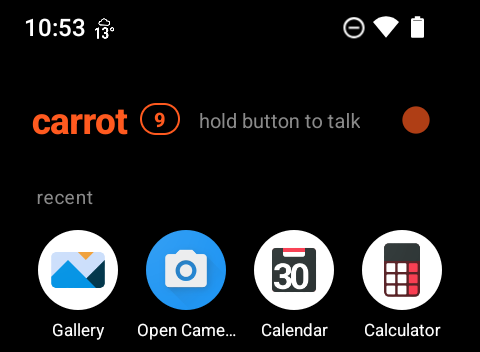
A voice-first home screen for the Rabbit r1. Hold the side button, ask something, let go, and hear the answer. Point the camera and ask "what's this?". Set reminders, keep lists, and check the weather and your day, all by voice, on a black and orange screen made for the r1.
Carrot talks to Mistral, a European AI provider, straight from the device: no Rabbit account, no server of your own, no persona. Your lists and what Carrot knows about you stay on the r1.
I had an afternoon free yesterday, and a lingering desire to make stock Android fit the r1's unique shape and controls. A few other things prompted me too:
- The release of Rabbit OS3, which is pretty cool. You can choose your own model and router, but your data still goes via the US.
- A daft LinkedIn update, which once again showed a belief in some kind of American exceptionalism.
- My desire to use my phone less.
So, in short, I wanted a device I've always got on me that is really useful but isn't my phone, and which works within TechFreedom guidelines. I think I'm almost there with it.
Interacting with carrot
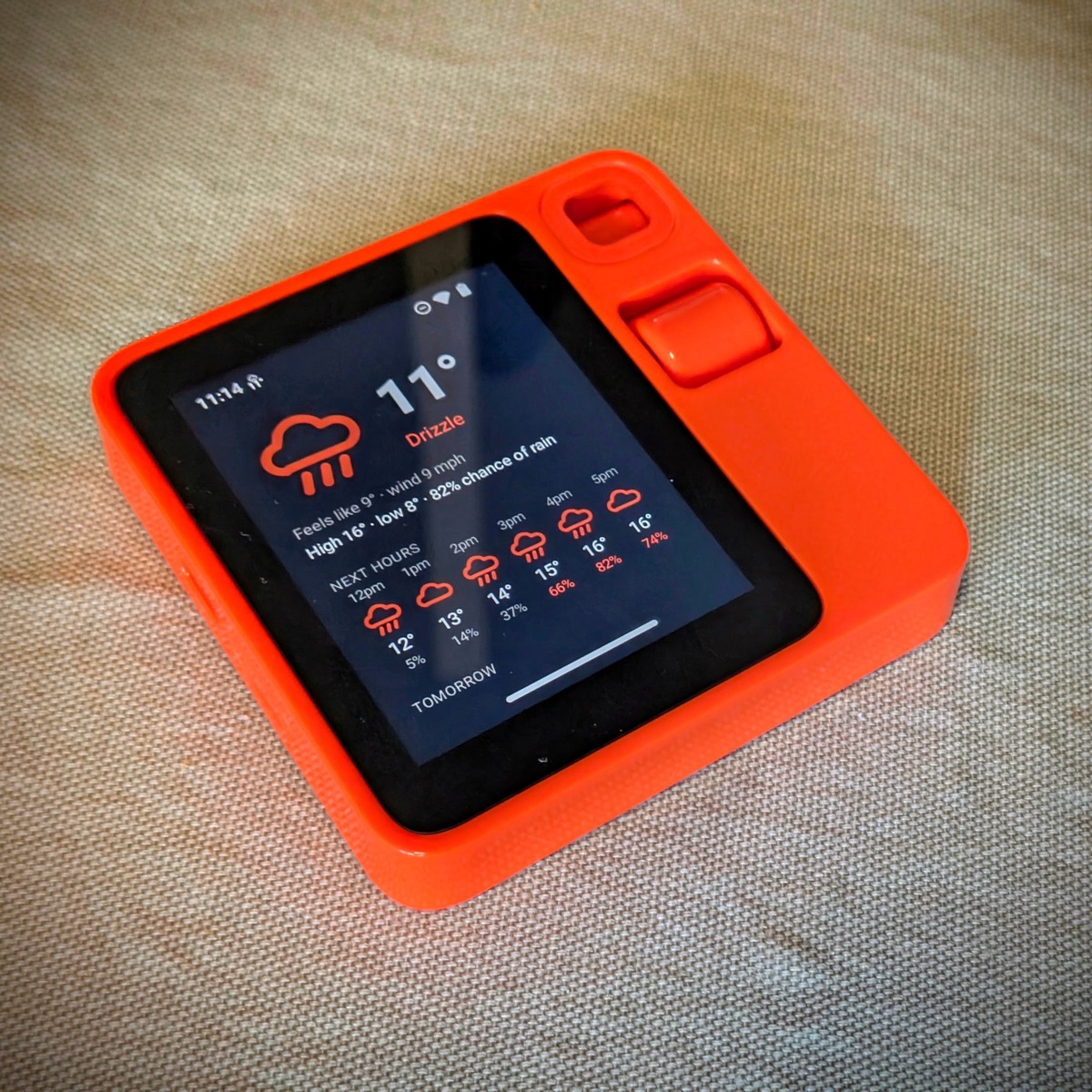
In carrot, the side button ("Push To Talk", or PTT) does most of the work. You hold it, say what you need and then let go. That means that it's not always listening for a wake word like Alexa or Google Assistant. The r1 then answers you in a calm British voice (other voices are available!) with the words on screen. Press the button again to interrupt or stop it talking. You can tap the side button to sleep or wake the screen, double-tap it to open the camera, and the scroll wheel changes the volume in whatever app you're in.
It's meant to be intuitive, so carrot keeps the thread for a few minutes. "Set a timer for eight minutes" followed by "actually, make it ten" does what you'd expect it to do.
Features and functionality
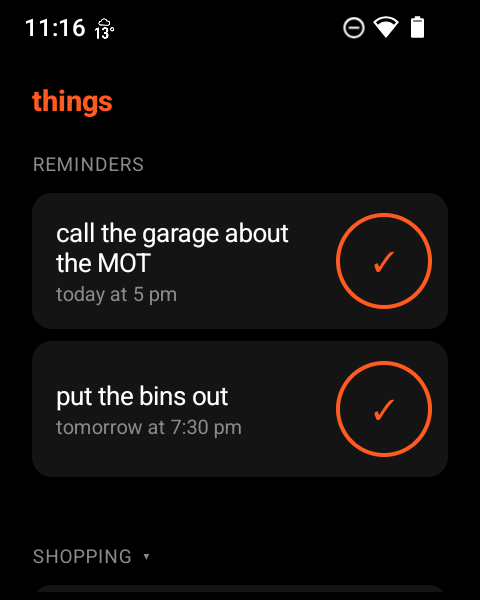
Reminders that speak. "Remind me at five to call Mum" will wake the screen at that time and read out the reminder in the same voice. It works without wifi.
To-dos and a shopping list. "Add eggs and oat milk to the shopping list "or "What's on my to-do list?" refer to two separate lists. You can also say things like "I've bought the eggs" to knock it off your shopping list. There's a small orange number next to the device's name on the home screen which shows the number of items on the lists. You can tap it to see everything and check things off.
"What's this?" Point the camera and ask the question, and Mistral's vision model tells you what it sees. That includes saying "read this" to read a page aloud, and "copy this" to OCR the text and put it on the clipboard, ready to paste into another app.
"Good morning." Inspired by Google Assistant, one phrase provides the weather, the rest of the day's calendar, any reminders, your next alarm and how many to-dos are waiting.
Weather. You can set your default home town, but it also reads your current location, if available. To be sure, replies name the town, while the current temperature sits beside the clock with a small drawing of the conditions. Tapping on this shows weather for the next six hours.
Sums. Small models such as those available on the Mistal free tier are often confidently wrong about percentages, so carrot works out arithmetic on-device.
Memory you control. If you say "remember that I'm vegetarian" then carrot takes it into account. It will ask before remembering anything else, and every fact it holds is listed on screen, along with a way to forget it.
Everything else. Alarms created by carrot go into the clock app and events are placed in your calendar. "Pause" or "skip this" works on whatever music is playing, and you can turn the brightness down, switch on Do Not Disturb, or open an app by name.
Data minimisation
The onboard hardware of the Rabbit r1 isn't powerful enough to do on-device AI inference, hence using Mistral. So carrot has to send some things to Mistral: your voice (to turn it into text) and your question (to answer it). I've tried to keep everything else on-device where possible:
- Reminders, to-dos, the shopping list, and anything Carrot remembers about you live in the app's private storage, and are left out of backups.
- Every request carries the number of open items, not the items themselves. A list goes to Mistral only when you ask about it.
- Photos are taken only when a question is about what's in front of you. Otherwise the camera is pointing 'down' and unable to see anything.
- Carrot doesn't keep any recordings. It holds the last few exchanges in memory for three minutes (for follow-ups), and never writes them to disk.
- When you set a reminder, carrot creates a short recording of the Mistral voice (for consistency) and then uses this when the reminder fires.
- Sums are worked out on the device, and the weather service gets your location rounded to about 1 km.
The weak spot is perhaps location. Android works out where the r1 is, and names the town using Google's location services. Carrot looks each place up once and keeps the name on the device. I can perhaps change this in future using other services.
By default, Mistral's free plan uses what you send through the API to train its models. I've switched this off in the Mistral console, under Admin → API → Privacy, and you can do likewise. Mistral still keeps API requests for 30 days to check for abuse.
Through the five lenses
TechFreedom looks at an organisation's technology through five lenses. Here's how Carrot fares.
- Jurisdiction. Anything that I, as a user, say goes to Mistral in France. The weather data comes from Open-Meteo in Switzerland. The code lives on Framagit, run by the French non-profit Framasoft.
- Surveillance. As little as possible leaves the r1, and Mistral doesn't train on the data that they receive.
- Lock-in. I've ensured carrot is free software under the AGPL, and you can change the model and the voice in its settings.
- Cost. Mistral's free plan should be enough.
- Continuity. Nothing depends on Rabbit's servers. Reminders still speak, and alarms still ring, with no connection at all.
How I built it
I thought it would be interesting to get Rabbit OS3 to build its own replacement. So I connected it to OpenRouter and used Qwen 3.8 Max as the model. That burned through $30 of credit pretty quickly, but it got about 80% of the way there. I used Claude Code, with Opus 5.5, for the rest.
Rabbit, OpenRouter and Anthropic are all US companies. If I did this again, I'd use Mistral Vibe and keep the whole thing European from start to finish.
Try it!
Currently at v0.5.3, carrot is working well for me, but no one else has tried it yet. You'll need an r1 already running Android (the README links to community guides for that), a free Mistral API key, and a computer for the one-off install. The wiki has full details. If you try it, I'd love to hear how you get on!