
Dumb iPhones
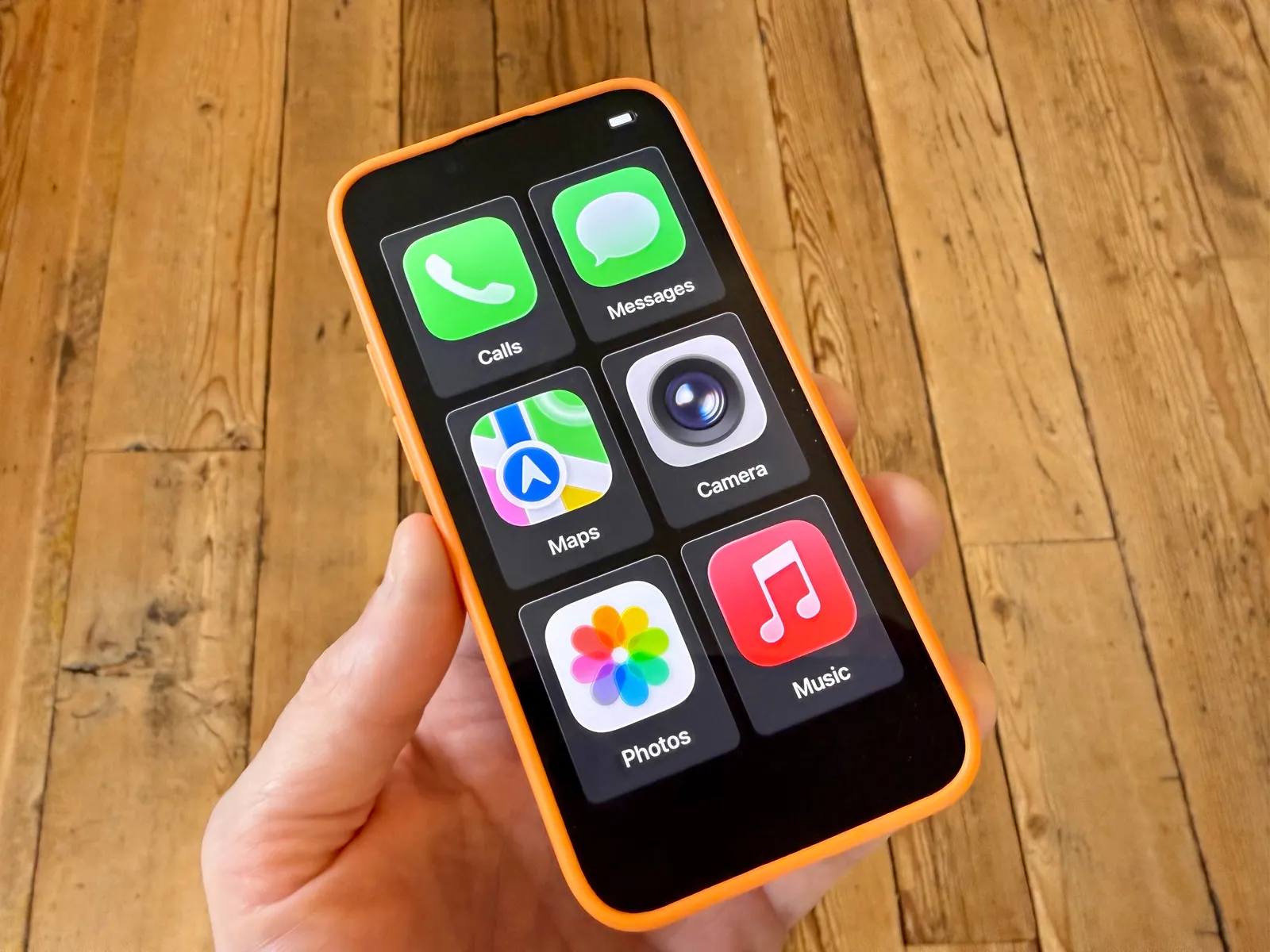
There's a lot of talk about dumbphones at the moment, at least in my circles. But, of course, everyone still wants access to WhatsApp, Signal, etc. So there's a whole niche of expensive 'dumb' phones which are supposed to help you reclaim your life.
While dong some research in preparation for giving his child their first phone, Jeremy White discovered that Apple have a setting on iPhones meant for people with cognitive disabilities, but which does pretty much exactly what expensive 'dumb' phones do. I gave 'Assistive Access' (as it's called) it a try with a spare iPhone SE 2 and it works a charm.
It's called Assistive Access. Introduced with iOS 17, Apple designed it for those with cognitive disabilities. If you've never encountered or stumbled across it, it's a distinctive iOS experience: fewer options, more focused features, easier to navigate. The aesthetic is ideal for kids: large, friendly tiles for the apps replace the smaller icons of the “normal” Apple interface.
Here's how you set it up: Head into Settings, tap Accessibility, scroll down to the General section at the very bottom, and tap Assistive Access. Now, tap Set Up Assistive Access, then Continue. It will then ask you to select your preferred appearance: rows or a grid. I suggest choosing a grid. This is how you get those super-large tiles. Now the OS will ask you to select allowed apps—tap the green plus icon next to the apps you want to allow.
I'm currently considering whether this could be my 'holiday mode' phone. Note that the 'rows' layout makes it look a lot less like an OAP phone 😅
Update: I'm doing this for my work holiday to Lisbon next week. In fact, I've already set it up. Will share more details and how it works later...
Update 2: Some thoughts after trying this:
- It works until it doesn't. What I mean by that is you have to turn off Assistive Access to change anything. So if, for example, you've already paired Bluetooth headphones, it will automatically connect to them in Assistive Access mode. If you haven't, you need to turn it off, change the setting, and then turn it on again. Going in and out of Assistive Access mode take ~20 seconds each time.
- Similarly, you have to have already decided which apps you want to be available in Assistive Access mode. You could just select all of your apps, but then you have a long, unwieldy list. Which kind of defeats the point.
- I had no problems paying for stuff using Apple Wallet in Assistive Access mode.
- You can't put your phone on speaker during phone calls in Assistive Access mode. Or at least I couldn't find an obvious way. I didn't realise how often I do this until I couldn't do it.
- It looks a bit weird and, to be honest, I was a bit self-conscious using Assistive Access mode when out and about.
After about 24 hours, I kept switching back and forth between modes, even when I didn't need to. After 48 hours, I stayed in regular mode. As soon as I got back home, I switched back to my Android phone.
Source: Original article · Are.na block · Tech channel